IPTV Subscription USA 2026: Plans, Prices, Devices and How to Order
IPTV Subscription USA 2026: Plans, Prices, Devices and How to Order
Updated: October 2026
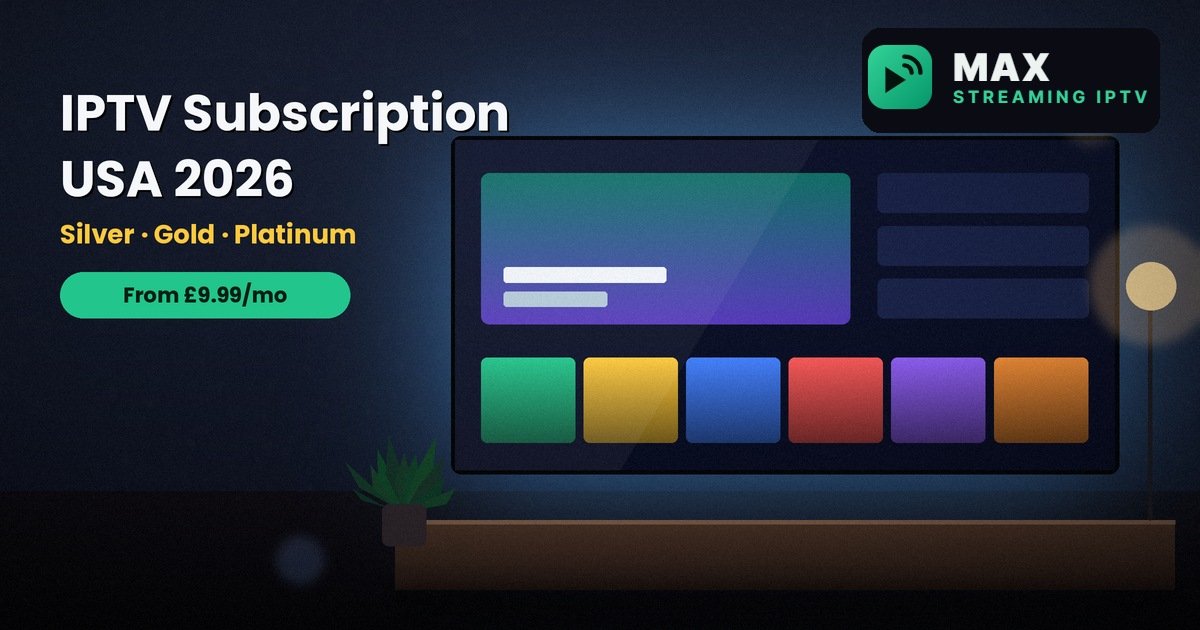
IPTV subscription USA searches are growing because more households want one simple plan for live TV, sport, movies and series, without a long contract or a box to rent. If you live in the United States, you can use Max Streaming IPTV on the devices you already own, such as a Fire TV Stick, Apple TV, Android box or Smart TV.
This guide shows what you get, what each plan costs, which devices work, and exactly how to order. When you are ready, message us on WhatsApp and we will help you pick the right plan.
Why More US Households Are Switching to IPTV
Traditional TV packages often come with long contracts, equipment fees and price rises. IPTV works differently. You pay for a plan, install an app and watch over your internet connection.
- Flexible plans: 1, 3, 6 or 12 months, so you are never locked in for years.
- No dish or box: use a stick, Smart TV, phone or tablet you already own.
- One order, several screens: choose 1, 2 or 3 devices.
- Quick setup: most people are watching within minutes of getting their login.
Want to see the full picture of our service? Read our guide to Max Streaming IPTV plans, prices and how to order.
How IPTV Works: A Simple Explanation
IPTV sends TV over the internet instead of through a dish or cable. The process has just three parts.
- You order a plan. We send your login details on WhatsApp.
- You install a player app. It runs on your TV, stick, phone or computer.
- You enter your login. The app loads your live channels, movies and series, ready to watch.
That is all there is to it. If you want a step-by-step walkthrough with screenshots, follow our setup guide.
IPTV Subscription USA Plans: Silver, Gold and Platinum
There are three plans. All of them work on every supported device. What changes is the size of the library, the video quality, the server group and how quickly support replies.
| Feature | Silver | Gold | Platinum |
|---|---|---|---|
| Live channels | 15,000+ | 25,000+ | 50,000+ |
| Movies and series | Standard library | Large library | Largest library |
| Video quality | HD | HD, 4K where available | Premium 4K where available |
| Sports and international packages | Basic | Extended | Extended |
| Server group | Standard | Standard | Most stable |
| Support | Standard | Priority replies | Fastest priority |
| Devices per order | 1 to 3 | 1 to 3 | 1 to 3 |
Silver is a solid start for everyday TV. Gold is our most popular choice for families. Platinum is built for heavy viewers who want the best quality. You can browse the channels page to see what is included.
IPTV Subscription USA Prices for 1, 3, 6 and 12 Months
Longer plans cost less per month. These are the current prices for 1 device. Prices are shown in pounds (£), and we confirm the payment options with you on WhatsApp when you order.
| Plan | 1 month | 3 months | 6 months | 12 months |
|---|---|---|---|---|
| Silver | £9.99 | £22.99 | £39.99 | £69.99 |
| Gold | £11.99 | £27.99 | £49.99 | £79.99 |
| Platinum | £14.99 | £34.99 | £59.99 | £99.99 |
The 12-month plans work out at £5.83 a month for Silver, £6.67 for Gold and £8.33 for Platinum. That saves 42% to 44% compared with paying month by month. Over a full year, Gold costs only £10 more than Silver, and Platinum costs £20 more than Gold.
See the live prices on the pricing page. Prefer to stay flexible? Read our guide to IPTV with no contract.
Which Plan Should You Choose?
Choose Silver if you want simple and affordable
Silver suits one viewer or a couple who mainly watch live TV and the odd film. It is the lowest-cost way to start, and you can upgrade later.
Choose Gold if you are buying for a family
Gold gives you a larger library, 4K where available, extra sports and international packages and priority support replies. For most homes it is the best balance of price and features.
Choose Platinum if quality comes first
Platinum adds premium 4K where available, the largest library and our most stable server group. It also gets the fastest support priority, which helps if you stream a lot in the evenings.
Not sure? Start with the plan that fits your budget today. Message us on WhatsApp and we will move you from Silver to Gold or Platinum whenever you want.
IPTV Subscription USA on Fire TV, Apple TV, Android and Smart TV
You do not need special equipment. Max Streaming IPTV works on:
- Amazon Fire TV Stick and Fire TV
- Apple TV, iPhone and iPad
- Android TV, Android boxes, phones and tablets
- Samsung and LG Smart TVs
- Windows and Mac computers
- MAG, Formuler and Shield boxes
The Fire TV Stick is the most popular choice and it is easy to set up. Follow our ultimate Firestick IPTV guide for every step, and check the supported devices page for your model. Apple TV works best with a wired connection.
If your TV is not a Smart TV, plug in a Fire TV Stick or Android box through HDMI and it will work like a new TV.
Internet Speed for IPTV in the USA
As a guide, you need about 10 Mbps for HD and 25 Mbps for 4K on each device streaming at the same time. A wired connection or a strong Wi-Fi signal helps a lot, especially for 4K.
You can test your line with Speedtest, and our IPTV internet speed guide explains what each quality level needs. If you ever see buffering, our buffering fix guide covers the common causes, and most can be fixed at home in minutes. Planning to watch in 4K? Read our 4K IPTV subscription guide.
One Plan for the Whole Family
Most homes have more than one screen. You choose 1, 2 or 3 devices when you order, and extra devices cost less per device than the first one. Think about how many screens will be streaming at the same time, not just how many you own.
- 1 device: one person or one main TV.
- 2 devices: a couple, or a living room plus a bedroom.
- 3 devices: a busy home with several screens in use at once.
See the pricing page for the exact device prices, and read our guide to IPTV for multiple devices and family use if you are unsure how many you need.
Try It First: The 24-Hour Free Trial
The safest way to choose is to test the service yourself. Ask for the free 24-hour trial on WhatsApp, then check these things in your own home:
- Stream in your local evening, when most people are watching.
- Open the channels and categories your household uses.
- Switch channels and see how quickly they load.
- Message support and see how clear the reply is.
Our guide on how to test IPTV for 24 hours covers each step in detail.
How to Buy an IPTV Subscription USA in 3 Steps
- Choose your plan. Pick Silver, Gold or Platinum, then your length of time and the number of devices.
- Order on WhatsApp. Tap order, send the message and we confirm the payment options with you.
- Install and watch. We send your login, usually within minutes during support hours, and help you set up your player app.
Staying Safe When You Buy IPTV Online
- Check the seller. Look for a real website, clear pricing and contact details. See our about page and contact page.
- Test support first. Message before you pay and see how quickly and clearly they reply.
- Be careful with very cheap plans. Prices that look too good to be true often mean unstable streams.
- Use official app stores. Install player apps only from official stores.
IPTV in Other Countries
We serve viewers in several countries. If you are comparing markets or travelling, read our guides to IPTV subscription Canada, IPTV Australia and IPTV subscription South Africa, or see the countries page for the full list. Our overview of the best IPTV subscription for the UK, USA, Canada and Australia compares them side by side.
Want to sell IPTV to your own customers instead? Learn about the IPTV reseller program, or see everything we offer on our services page.
Is IPTV Legal in the USA?
IPTV technology is legal, but rules about content differ by country. Please make sure your use of any service follows the laws where you live. Our guide to IPTV legality in the UK, USA, Canada and Australia explains the position in more detail.
Frequently Asked Questions
How much is an IPTV subscription USA plan?
Plans start from £9.99 for one month on one device. Three, six and twelve month plans cost less per month, and extra devices cost less per device. The pricing page lists every price.
Does it work on a Fire TV Stick?
Yes. Install a player app on your Fire TV Stick, enter the login we send you and start watching. Our Firestick guide shows every step.
Can I use IPTV on Apple TV?
Yes. Apple TV, iPhone and iPad are all supported. Apple TV works best with a wired connection.
Which plan is best for a family?
Gold is our most popular choice for families. It adds a larger library, 4K where available, extra sports and international packages and priority support replies.
What internet speed do I need?
About 10 Mbps for HD and 25 Mbps for 4K on each device streaming at the same time.
Is there a free trial?
Yes. Ask for the free 24-hour trial on WhatsApp and test the service on your own device before you choose a plan.
How do I pay?
We confirm the available payment methods on WhatsApp when you place your order, so you always get the current options.
Can I upgrade my plan later?
Yes. Message us on WhatsApp and we will move you to a higher plan.
Where can I find more answers?
Visit our FAQ page or contact us directly.
Final Thoughts
The right IPTV subscription USA plan comes down to how much quality and choice you want for the price. Silver keeps costs low, Gold suits most families and Platinum gives heavy viewers the best quality. A longer plan gives the lowest price per month, and the free trial lets you test it first.
Ready to start? View the current plans and prices or message us on WhatsApp and we will help you pick the right one today.
Related reading
- IPTV subscription Canada: plans, prices and how to order
- IPTV Australia: plans, free trial and how to buy
- IPTV free trial: how to test it for 24 hours
- Max Streaming IPTV: plans, prices and how to order
Need help choosing a plan?
Message us on WhatsApp and we will set you up.
Chat on WhatsApp See pricingRelated: Services · Devices · Setup guides