Best IPTV Apps for Firestick in 2026
Best IPTV Apps for Firestick in 2026
Choose the right player app first — it makes or breaks the experience.
- TiviMate (Top Pick): Premium EPG, 4K hardware decoding, multi-screen, recording, custom playlists. Lifetime license ~$30–$50. Best for power users.
- IPTV Smarters Pro: Simple Xtream Codes login, user-friendly, catch-up support. Free with ads or paid pro version.
- XCIPTV / GSE Smart IPTV: Lightweight alternatives with external player support (VLC/ExoPlayer).
- IBO Player / Perfect Player: Good backups for basic needs.
Recommendation: Start with TiviMate for the best interface and stability.
Step-by-Step Setup IPTV on Firestick (2026 Updated)
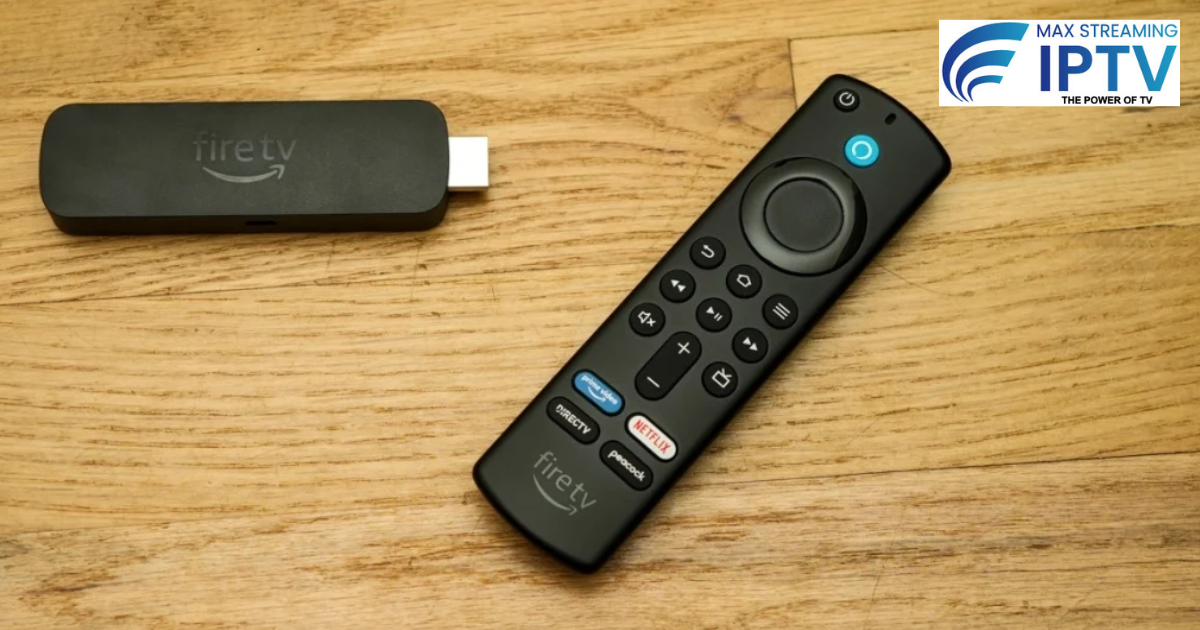
Takes 5–10 minutes.
- Enable Sideloading Settings > My Fire TV > Developer Options > Apps from Unknown Sources > Turn On (for Downloader).
- Install Downloader App From Amazon Appstore, search “Downloader” by AFTVnews → Install & open.
- Download IPTV Player In Downloader, enter code or URL:
- TiviMate: Use official site or code (3730736).
- IPTV Smarters Pro: Direct APK from developer site. Install > Open.
- Add Your IPTV Subscription
- Get M3U URL or Xtream Codes (username/password/host) from provider.
- In app: Add playlist > Enter details > Load.
- Optimize Immediately
- Set buffer to medium/large in app settings.
- Use Ethernet adapter for wired connection.
- Change DNS: Settings > Network > Advanced > DNS to 1.1.1.1 (Cloudflare).
Best IPTV Subscriptions for Firestick – Comparison 2026
Tested factors: Stability, channels, support, Firestick compatibility.
| Provider | Channels/VOD | Pricing (Monthly) | Key Strengths | Trial | Best For |
|---|---|---|---|---|---|
| Max Streaming IPTV | 18,000+ / 50,000+ | ~$12–$15 | Anti-freeze, 24/7 support, easy Firestick setup | 24-hour free | Worldwide/UK/USA sports |
| Xtreme HD IPTV | 20,000+ / Large | $15–$20 | 4K low-latency servers | Yes | High-quality USA/UK |
| Beast IPTV | 10,000+ / Good | $12–$18 | Heavy sports focus (NFL/ESPN) | Short | USA sports fans |
Zero Buffering & Troubleshooting Tips
Buffering is the #1 complaint — fix 80% with these.
- Internet Check — 25–50 Mbps minimum for 4K. Test at speedtest.net; use wired Ethernet.
- Device Optimization — Restart Firestick weekly; clear cache (Settings > Applications > Manage Installed Applications > IPTV app > Clear Cache/Data).
- App Tweaks — Buffer size medium/large; enable hardware acceleration.
- Network Fixes — Switch to 5GHz Wi-Fi; change DNS to 1.1.1.1 or 8.8.8.8; reboot router.
- Provider/Server — Choose nearby servers (UK/USA/EU); test multiple during trial.
- No VPN First — Many ISPs throttle; try without VPN. If needed, use WireGuard protocol.
- Advanced — Factory reset if persistent; update Fire OS; close background apps.
Is Firestick IPTV Legal & Safe in 2026?
- Technology: Legal.
- Content: Depends on provider — licensed is safe; unlicensed risks malware/shutdowns.
- UK/USA: Paid reliable services rarely cause issues for end-users (focus on providers, not viewers).
- Safety Tips: Use trusted providers, antivirus on PC, avoid shady free links.
Common Firestick IPTV Questions (FAQ)
What’s the best app for Firestick IPTV 2026?
TiviMate for advanced features; IPTV Smarters Pro for simplicity.
How much internet do I need?
HD: 10–15 Mbps; 4K: 25–50 Mbps stable.
Do I need a VPN?
Not always — try without first. Useful if ISP throttles.
Best subscription for Firestick?
Look for anti-freeze, trials, and Firestick compatibility — options like Max Streaming IPTV perform well.
How to avoid buffering forever?
Wired connection + good provider + app optimization.
Ready to set up buffer-free Firestick IPTV in 2026? Start with a free 24-hour trial of Max Streaming IPTV for reliable channels and easy setup — check plans here. Message us on WhatsApp for help.
Need help choosing a plan?
Message us on WhatsApp and we will set you up.
Chat on WhatsApp See pricingRelated: Services · Devices · Setup guides