Best IPTV Subscription for Multiple Devices & Family Use UK 2026
Best IPTV Subscription for Multiple Devices & Family Use UK 2026
Updated: October 2026

If your household has more than one TV, or family members who all want to watch something different at the same time, a single-device subscription won’t cut it. This guide covers exactly how multi-device IPTV plans work, what to look for, and how to pick the right setup for a busy family home in 2026.
Why Families Need More Than One Connection
A typical UK household today isn’t watching one screen anymore. Parents might want live sports in the living room, kids want cartoons or YouTube-style content in their room, and someone else wants to catch up on a series on their phone or tablet. Traditional cable packages charge extra for each additional box — often £5–10 per month per room with Sky or Virgin Media. IPTV handles this very differently.
How Multi-Device IPTV Plans Actually Work
Most quality IPTV providers offer plans supporting 2–3 simultaneous connections under a single subscription, meaning multiple people in the same household can stream different channels or content at the same time, on different devices, without needing separate accounts or separate payments.
This is different from simply installing the app on multiple devices — what matters is simultaneous streams, not just how many devices have the app installed. Always check a provider’s specific connection limit before buying, since this detail is often buried in the fine print.
What to Check Before Buying a Family Plan

- Simultaneous connection limit — confirm exactly how many devices can stream at once, not just how many can be logged in
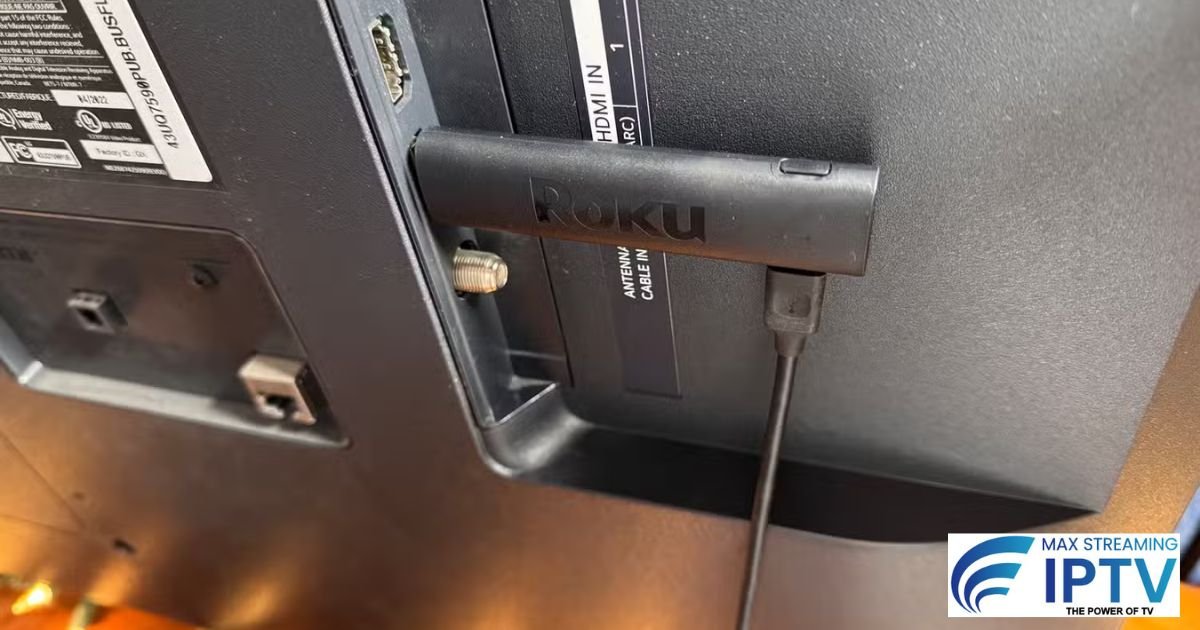
- Device compatibility — make sure it works across your household’s actual devices: Firestick, Smart TV, phones, tablets, and PCs
- Kids’ content separation — a dedicated kids’ category keeps younger viewers away from adult content automatically
- Internet capacity — multiple simultaneous HD or 4K streams add up fast; see our internet speed requirements guide to check your broadband can realistically support your household’s usage
- Stable performance during peak hours — evenings are when every family member is online at once, so this is when connection quality is tested hardest
Setting Up Multiple Devices in Your Home
Setup is straightforward once you have your login details — each device runs its own instance of the player app using the same account credentials (or separate logins, depending on your plan type). For device-specific setup instructions:
If any device gives you trouble during setup, our troubleshooting guide for IPTV Smarters not working covers the most common fixes across devices.
Internet Requirements for Multi-Device Households
The more devices streaming simultaneously, the more bandwidth your household needs. As a rough guide:
| Simultaneous Streams | Recommended Speed |
|---|---|
| 1 device (HD) | 15 Mbps |
| 2 devices (HD + HD) | 25–30 Mbps |
| 2 devices (4K + HD) | 40–50 Mbps |
| 3 devices (mixed quality) | 50 Mbps+ |
For the full breakdown including data usage and Wi-Fi vs Ethernet considerations, see our complete internet speed guide for IPTV.
Cost Comparison: Family IPTV vs Cable Add-On Fees
| Option | Typical Monthly Cost | Devices Covered |
|---|---|---|
| Sky/Virgin additional box | +£5–£10 per extra room | 1 per box, separate hardware needed |
| Max Streaming IPTV (multi-device plan) | From £11.99/month | Up to 3 simultaneous streams, any supported device |
For a full side-by-side breakdown of IPTV versus traditional cable costs, see our detailed guide: IPTV vs Sky & Virgin Media UK 2026.
What Content Does Each Family Member Get?
A good multi-device plan isn’t just about technical connections — it’s about genuine content variety so everyone in the house is covered:
- Live sports for the main living room screen
- A dedicated kids’ section for children’s devices
- A large, regularly updated movie and series library for everyone else
- International and news channels where relevant to your household
For the full channel and category breakdown, see our guide: Best IPTV Channels List UK 2026.
Max Streaming IPTV for Families
Max Streaming IPTV supports up to 3 simultaneous connections on a single subscription, with 18,000+ channels and a 130,000+ title VOD library — enough variety that every family member gets their own content without stepping on each other’s streams.
| Plan | Price | Per Month |
|---|---|---|
| 1 Month | £11.99 | £11.99 |
| 3 Months | £29.99 | £10.00 |
| 12 Months | £69.99 | £5.83 — best value for families |
See the full pricing page for current plans, or test it first with a free trial before committing — our trial testing checklist covers exactly what to check across multiple devices.
Frequently Asked Questions
How many devices can stream at once on a family IPTV plan?
Most quality providers support 2–3 simultaneous streams per subscription — always confirm the exact limit before buying.
Can I use IPTV on a Firestick and a Smart TV at the same time?
Yes, as long as you stay within your plan’s simultaneous connection limit — device type doesn’t matter, only how many are streaming at once.
Is there a separate kids’ profile or content filter?
Good providers keep kids’ content clearly categorised and separate from general/adult categories, making it easy to set children up safely.
Do I need faster internet for a multi-device household?
Yes — bandwidth needs increase with each simultaneous stream. See our internet speed guide for exact recommendations.
For more questions, see our FAQ page.
Final Thoughts
For most UK families, a multi-device IPTV plan replaces the need for separate boxes, separate fees, and separate contracts per room — covering the whole household under one flexible, affordable subscription. The best way to know if it fits your home is to test it across your actual devices before committing.
Ready to set your whole household up? View our multi-device plans or request a free 24-hour trial on WhatsApp.
Need help choosing a plan?
Message us on WhatsApp and we will set you up.
Chat on WhatsApp See pricingRelated: Services · Devices · Setup guides