4K IPTV Subscription UK 2026: What You Need and Which Plan to Buy
4K IPTV Subscription UK 2026: What You Need and Which Plan to Buy
Paying for 4K but still seeing a soft, blurry picture? You are not alone. Many people in the UK sign up for a 4K IPTV subscription UK plan, connect it to an old streaming stick or a weak Wi-Fi signal, and wonder why the picture looks no better than HD. The plan is only one part of the story.
To get a truly sharp picture, three things must work together: a plan that includes 4K, a device and TV that can show it, and enough internet speed to carry it. If any one of them is missing, the quality drops. In this guide we explain what 4K IPTV really is, which of our plans include it, what speeds you need and how to set everything up properly, so you get it right the first time.
Ready to order now? Chat with us on WhatsApp and we will help you choose, or keep reading to compare Gold and Platinum first.
What Is a 4K IPTV Subscription?
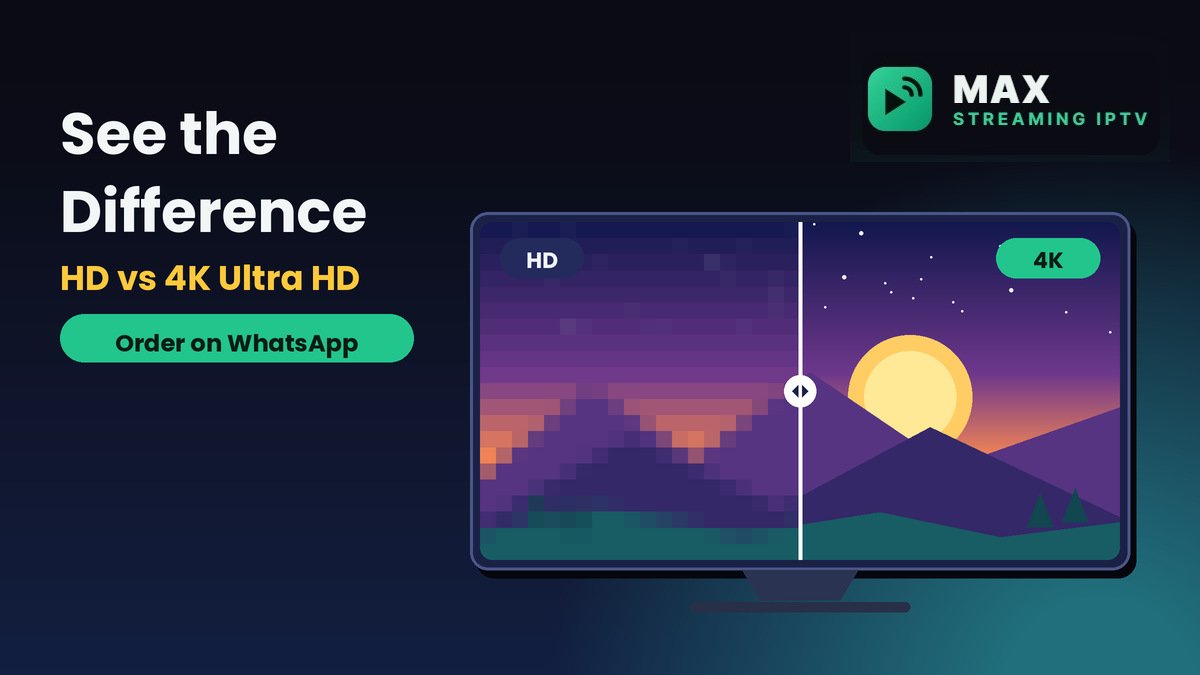
IPTV sends live TV, movies and series to your TV over broadband. A 4K IPTV subscription gives you access to streams in Ultra HD where they are available, which means a sharper, more detailed picture than standard HD. You watch through a player app on a Firestick, Smart TV or Android box, with no dish and no engineer visit.
Not every channel or title is broadcast in 4K, so the quality you see depends on the stream as well as your plan. That is why it helps to choose a plan built for 4K from the start, and to make sure the rest of your setup can keep up.
Which Plans Include 4K?
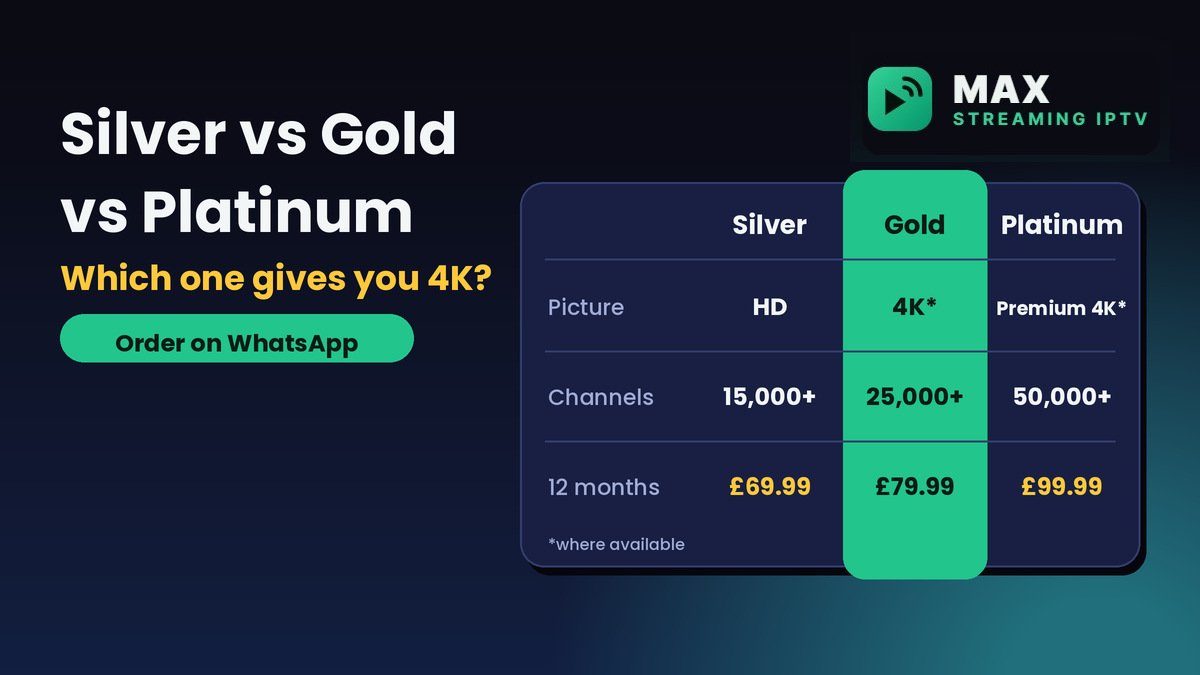
Our Silver plan is HD only. If you want 4K, choose Gold or Platinum. Here is how the plans compare:
- Silver: HD picture quality. £9.99 per month or £69.99 for 12 months.
- Gold: 4K where available. £11.99 per month or £79.99 for 12 months.
- Platinum: Premium 4K/UHD where available. £14.99 per month or £99.99 for 12 months.
Prices are for one device. Paying for 12 months on Gold saves you £63.89 compared with paying monthly, and on Platinum you save £79.89. See every option on our pricing page, or read our 12 month IPTV subscription guide for the full yearly breakdown.
Gold or Platinum for 4K: Which Should You Pick?
Gold: the sensible choice for most homes
Gold gives you 25,000+ live channels, a larger movies and series library, 4K where available, extra sports and international packages and priority support replies. At £79.99 for the year it is our most popular choice for families, and it is the cheapest way to get 4K.
Platinum: for the best possible picture
Platinum offers 50,000+ live channels, our largest library, premium 4K/UHD streams where available, our most stable server group and the fastest support priority. At £99.99 for the year it suits heavy viewers and anyone with a large 4K TV who wants the most reliable experience.
Still unsure? Message us on WhatsApp and tell us your TV size and how many people watch at once.
Who Should Choose a 4K IPTV Plan?
4K is worth paying for if you:
- Own a 4K TV of 43 inches or more. The bigger the screen, the more difference 4K makes.
- Love sport and movies. Fast action and film scenes look noticeably cleaner in Ultra HD.
- Want the best picture for the family room. One good TV shared by everyone is where 4K pays off most.
- Have fast, stable broadband. A strong connection lets 4K streams play smoothly.
If you mostly watch on a phone, a small TV or a slower connection, the HD Silver plan may be all you need and will save you money.
What You Need to Stream 4K
Enough internet speed
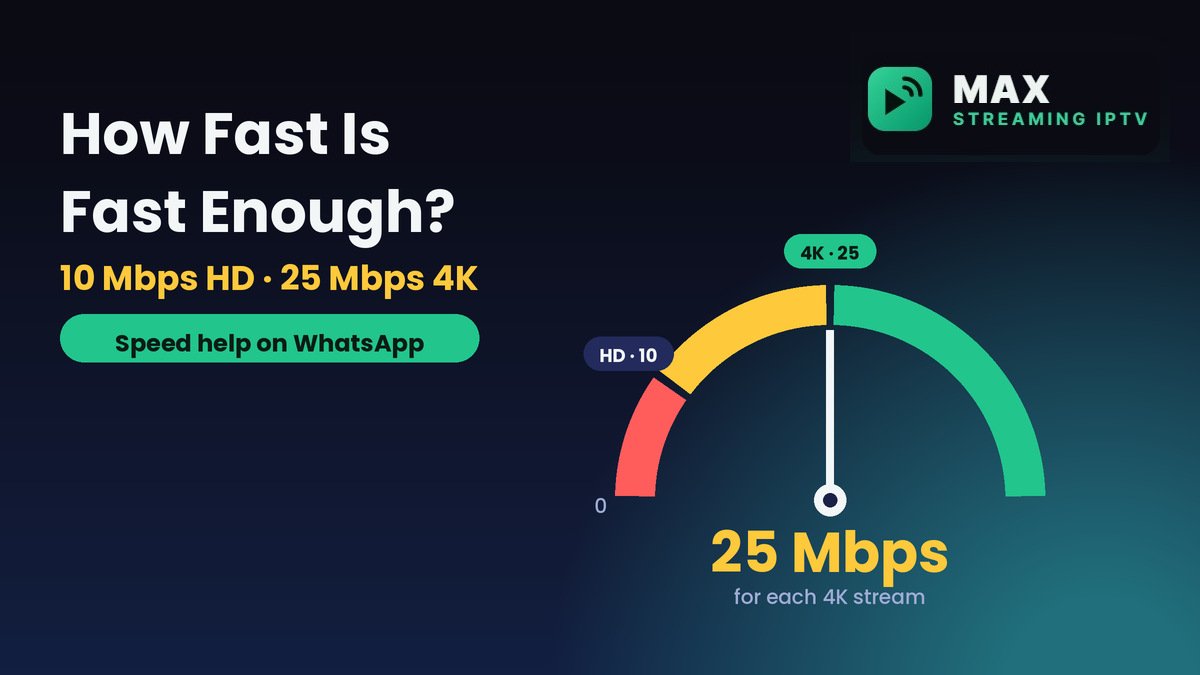
As a guide, aim for about 25 Mbps for 4K on each device that streams at the same time. HD needs less, at about 10 Mbps. If several people watch at once, add the speeds together. Our IPTV internet speed guide shows how to test yours.
A 4K-ready device
Your device must support 4K, or you will only see HD. Make sure your Firestick or Fire TV model supports 4K, because some cheaper sticks are HD only. Android TV boxes and many recent Samsung and LG Smart TVs also work. See our supported devices page, the Firestick setup guide and the Smart TV setup guide.
A 4K TV and the right cable
Your TV must be a 4K model, and an external device like a Firestick needs a good HDMI cable and a 4K-capable HDMI port. Check your TV settings if the picture looks softer than you expect.
How to Get the Best 4K Picture
- Use a cable if you can. A wired connection is more stable than Wi-Fi for 4K.
- Use 5GHz Wi-Fi if you cannot use a cable. Sit the router close to the TV and clear the line of sight.
- Keep downloads off during viewing. Big downloads on other devices can slow your stream.
- Keep your player app updated. Install updates from the official store.
Common 4K Problems and Easy Fixes
The picture looks like HD, not 4K
Check three things: your plan (Silver is HD only), your device (some sticks are HD only) and the HDMI port on your TV (it must support 4K). Also remember that not every channel is broadcast in 4K.
The stream buffers or freezes
This is usually a speed or Wi-Fi problem. Test your speed, move closer to the router or switch to a cable, and pause big downloads on other devices. Our internet speed guide explains what to check.
It runs well by day but struggles in the evening
Evenings are the busiest time on home broadband, and a wired connection helps most here. If it keeps happening, contact your internet provider about your speed.
I cannot find a 4K option at all
Check that you are on Gold or Platinum. If you are on Silver, message us on WhatsApp to upgrade.
How to Buy a 4K IPTV Subscription UK
- Choose Gold or Platinum. Pick your length and number of devices on the pricing page.
- Order on WhatsApp. Send us your choice and we confirm the payment options with you.
- Install and watch. We send your login details, usually within minutes during support hours, and help you set up the app.
For a fuller walkthrough, read how to buy an IPTV subscription in the UK, or compare all lengths in our IPTV packages UK guide.
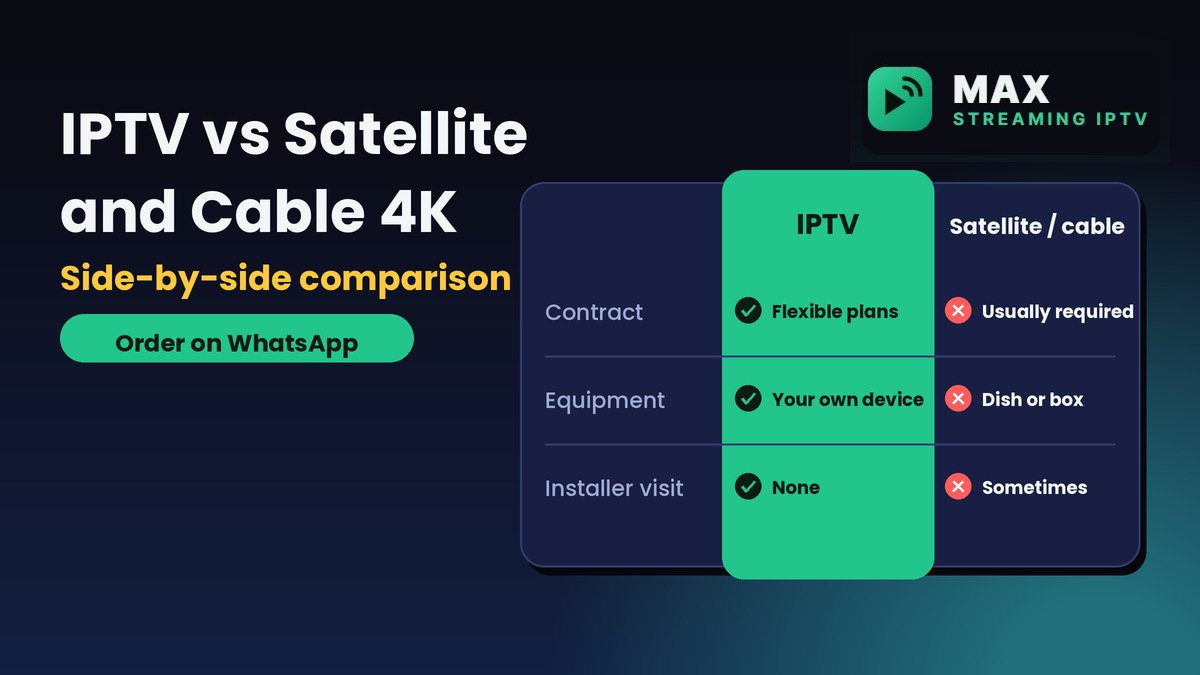
4K IPTV vs Satellite and Cable 4K
Satellite and cable 4K usually mean a contract, extra equipment and sometimes an installation visit. With IPTV you use the TV and device you already own, set up the app yourself and can also watch on a phone or tablet. Our IPTV vs Sky and Virgin Media comparison sets out the costs and trade-offs.
Not sure which provider to trust? Our guide to the best IPTV UK subscription shows how to judge any seller, and the channels page shows what you can watch.
Is IPTV Legal in the UK?
IPTV technology itself is legal in the UK. Rules about content differ between providers and countries, so make sure your use of any service follows the laws where you live. Our guide to IPTV legality in the UK, USA, Canada and Australia explains the position by country.
Frequently Asked Questions
Which plans give me 4K?
Gold offers 4K where available, and Platinum offers premium 4K/UHD where available. Silver is HD only.
How much is a 4K IPTV subscription UK?
For one device, Gold costs £11.99 a month or £79.99 for 12 months. Platinum costs £14.99 a month or £99.99 for 12 months.
What internet speed do I need for 4K?
About 25 Mbps for each device streaming 4K at the same time. HD needs about 10 Mbps.
Does my Firestick support 4K?
Only some models do. Check that yours is a 4K model, because cheaper sticks are HD only.
Is every channel in 4K?
No. 4K depends on the stream, so some channels and titles will play in HD even on a 4K plan.
Can I upgrade from Silver to Gold or Platinum?
Yes. Message us on WhatsApp and we will help you move to a higher plan.
You can find more answers on our FAQ page, or contact us directly.
Ready to Watch in 4K?
A 4K IPTV subscription UK households choose should come with clear plans, honest speed advice and real support. Pick your plan and send us a message, and we will help you get set up.
Order your 4K plan on WhatsApp or view all plans and prices.
Related reading
- 12 month IPTV subscription UK: plans and prices
- IPTV packages UK: compare plans
- UK channel list breakdown
- IPTV setup guides
Need help choosing a plan?
Message us on WhatsApp and we will set you up.
Chat on WhatsApp See pricingRelated: Services · Devices · Setup guides